Calculate Bonus
Use Calculate Bonus to provide an employee with additional compensation in addition to their standard wages.
Access Calculate Bonus
To access from the Button Bar, go to Payroll > Calculate Bonus

Calculate a Bonus
-
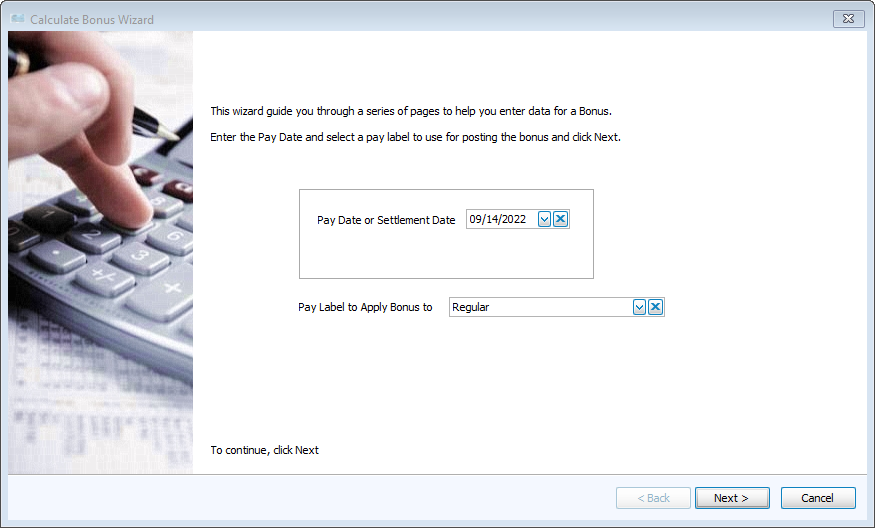
Select the Pay or Settlement Date and appropriate Pay Label.
-
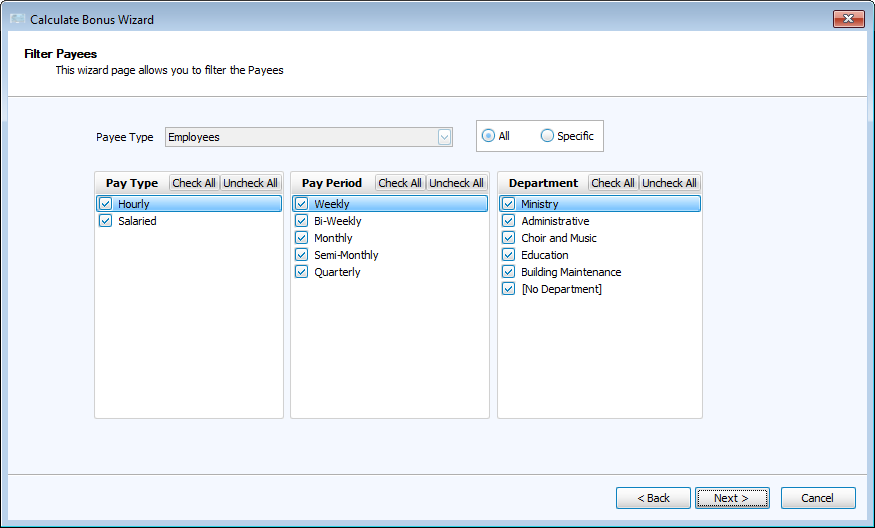
Filter Employees/Contractors who will receive payments.
-
Use the Payee Type drop down to select either Employees or Independent Contractors.
-
Filter by Pay Type, Pay Period or Department for all employees
-
Select Specific to choose individual employees or contractors by name
Click Next.
-
-
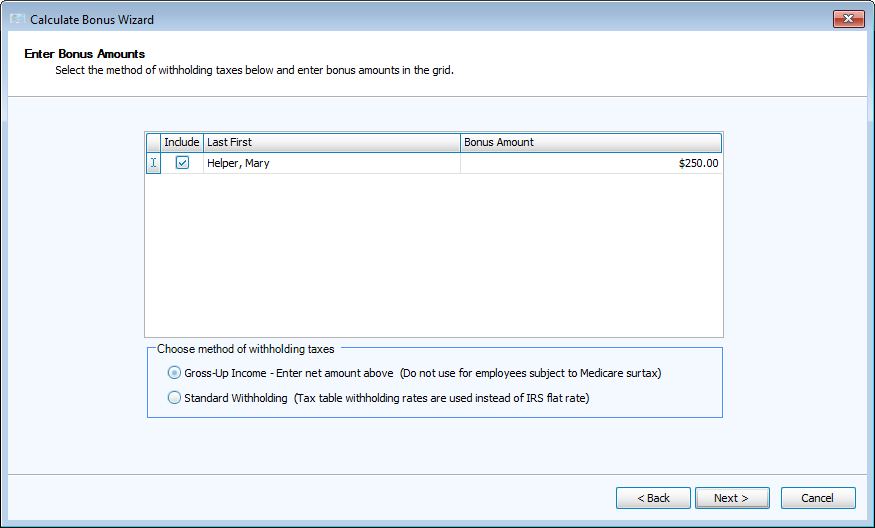
Enter Bonus Amounts in the right-hand column.
-
Gross-Up Income - These bonuses checks will be for the amount entered here.
-
Standard Withholding - These bonuses will have taxes withheld as set up for their pay.
-
-
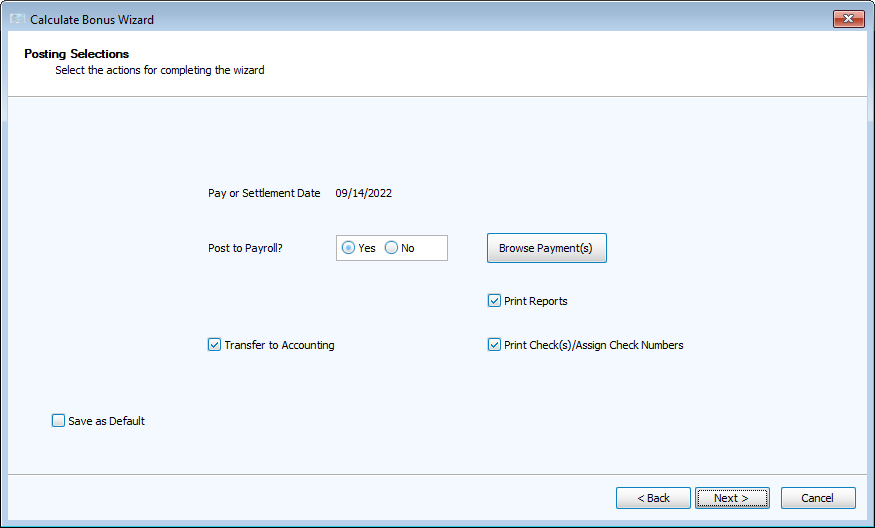
Browse Payments and Post
-
Browse gives you the opportunity to make any final adjustments before posting.
-